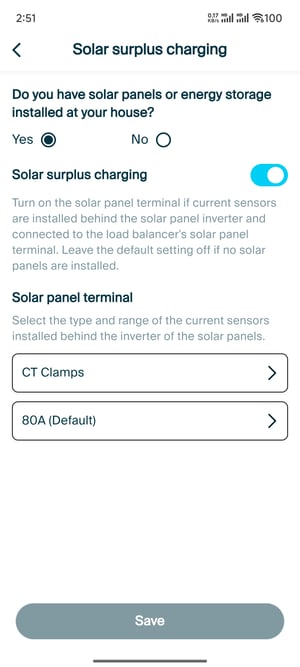
Learn how to integrate solar panel terminal with Load balancer. Applicable only to NexBlue Zen (Current Sensor).
Configure during installation
- Select the location that you want to install load balancer
- Click Add load balancer
- Enter the SN and Pin code
- Select the type and range of the current sensors installed of the main fuse terminal
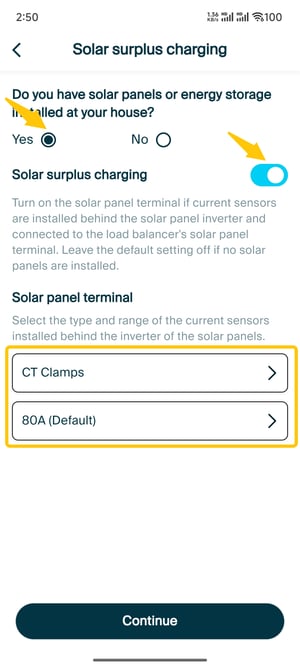
- Configure Solar surplus charging
- Click Yes
- Turn on Solar surplus charging
- Select the type and range of the current sensors installed of the solar panels
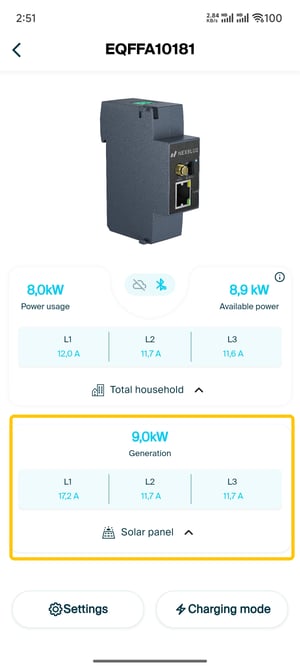
- Load balancer added successfully! You will view the current of solar panel on the load balancer dashboard.
Modify in the settings
- Click Settings on the dashboard of load balancer
- Click Solar surplus charging
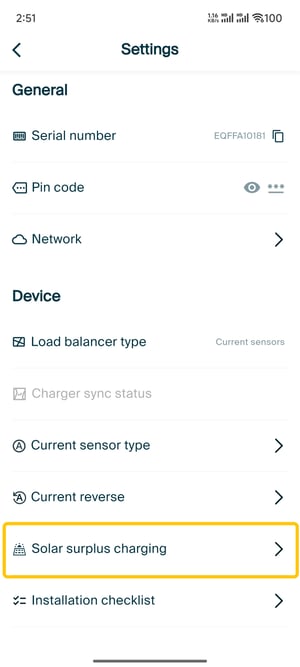
- Modify the settings and save