
Follow these simple steps to set your charger to Single-phase charging:
Step 1: Access the Dashboard
•Open myNexBlue App on your mobile device.
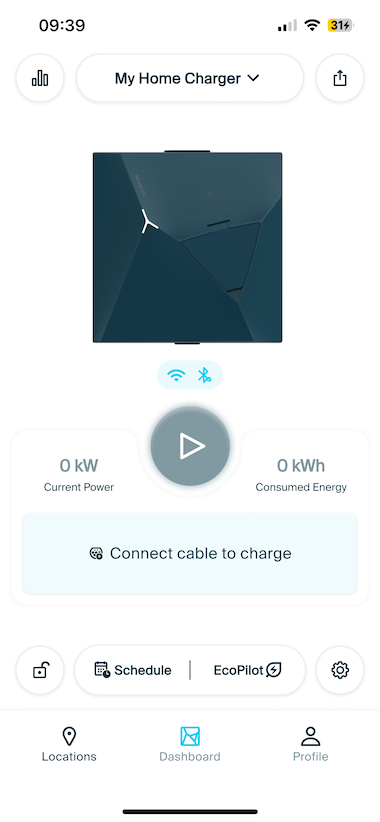
•Navigate to the Dashboard tab, where you see your connected charger.
•Tap the Settings icon on the dashboard.
Step 2: Find Phase charging
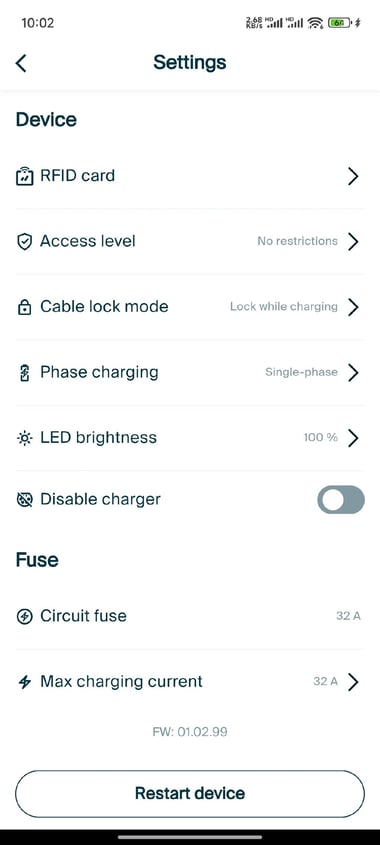
•In Settings, select Phase charging.
Step 3: Select Single-phase
•Tap Single-phase to switch your charger to single-phase mode. The app will save your selection automatically.
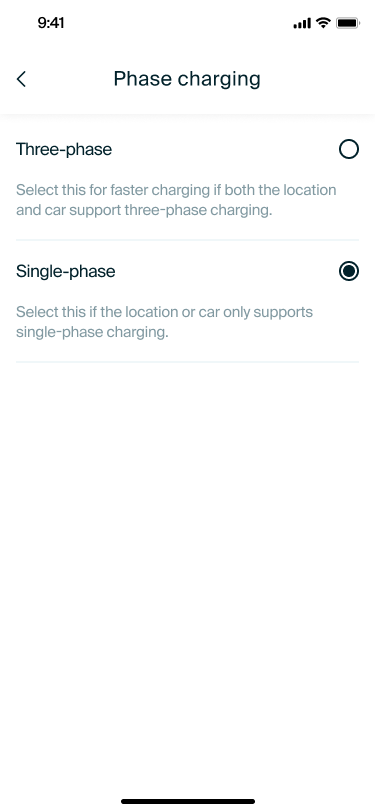
You’re all set! Your charger is now configured for Single-phase charging.